SCORM and xAPI Export for LMS
📌 Overview
Quinn makes it simple to integrate your courses into any existing LMS using a direct LMS link, a downloadable SCORM package, or a cmi5/xAPI package. When exporting, you choose how the course is delivered to learners inside your LMS and how completion data is reported.
Three Ways to Integrate
Direct LMS Link — Copy and paste a link directly into your LMS.
SCORM Package — Download a SCORM file and upload it to your LMS.
cmi5 (xAPI) Package — Download a cmi5 package that reports learner activity over HTTPS using the xAPI standard.
Step 1: Open the Share Modal
From the course editor, click the Share button in the top-right toolbar.

Step 2: Select the SCORM / xAPI Tab
In the Share modal, click the SCORM / xAPI tab to see the export options.
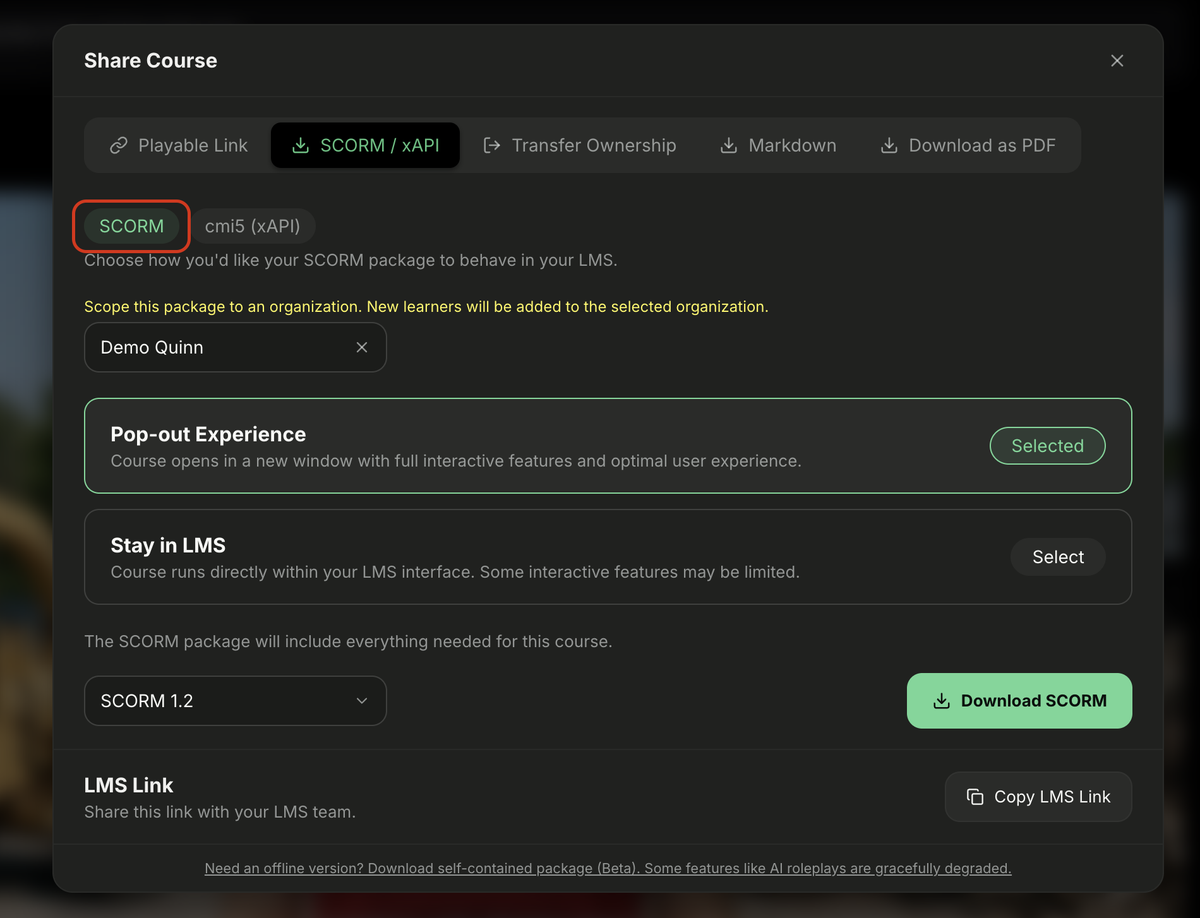
Step 3: Choose the SCORM Package
The SCORM sub-tab is selected by default. Choose an experience option and a SCORM version, then click Download SCORM.
Step 4: Switch to the cmi5 (xAPI) Package
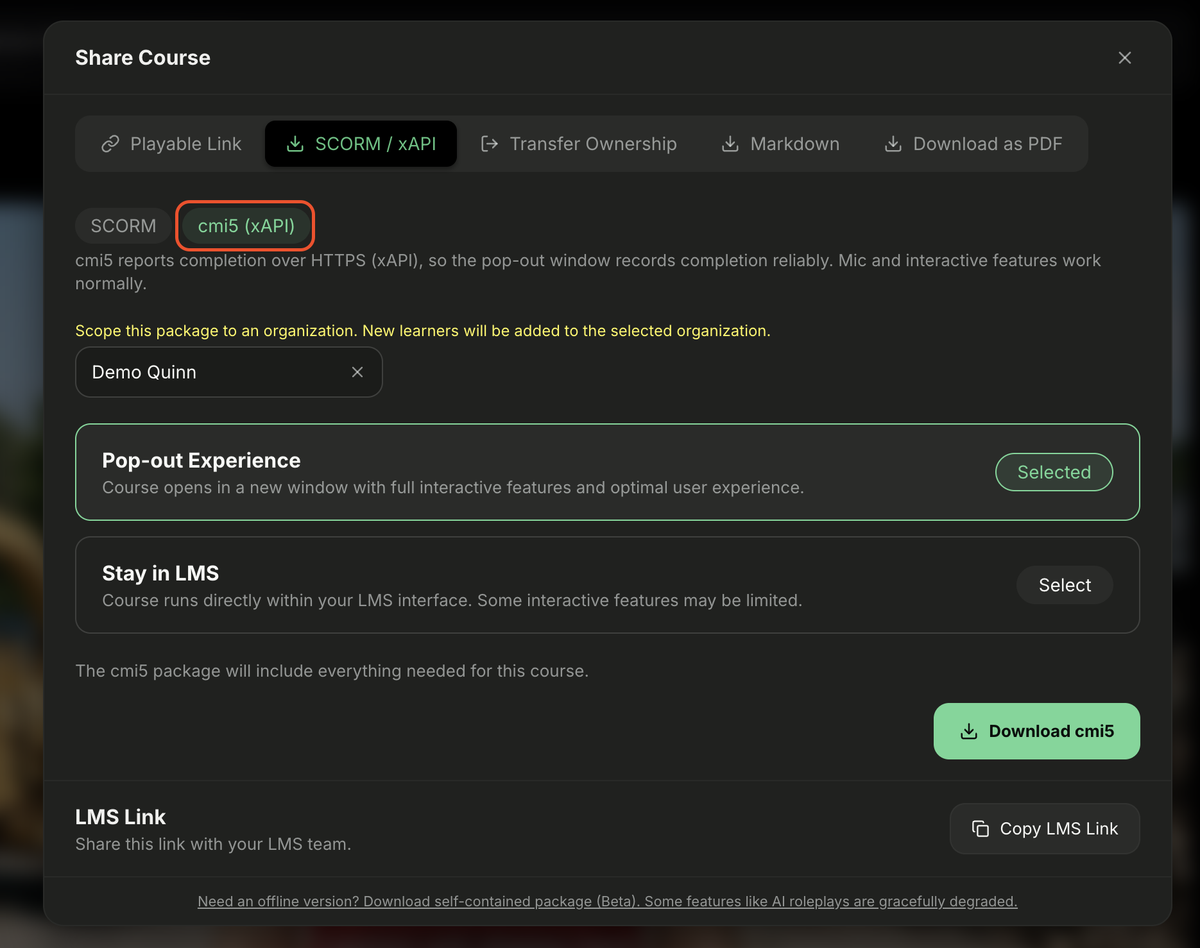
Click the cmi5 (xAPI) sub-tab to export an xAPI package. cmi5 reports completion over HTTPS, so the pop-out window records completion reliably and interactive features like the microphone work normally.
Step 5: Configure the Package Options
Before downloading, review the export options:
- Scope this package to an organization — Choose the organization that will receive this package. This is the context used for reporting completions.
- Pop-out Experience — Opens the course in a new window. This gives learners full access to interactive features like roleplays and microphone activities.
- Stay in LMS — Runs the course inside your LMS interface. Some interactive features may be limited.
- LMS Link — Copy this link to share directly with your LMS team.
- Self-contained package (Beta) — Download an offline version. Some features like AI roleplays are gracefully degraded.
When you have selected the right options, click Download cmi5 to save the package.
💡 Tips
Use Pop-out Experience whenever your course includes scenarios, microphone activities, or other interactive features.
If you're unsure which SCORM version or xAPI profile your LMS supports, check with your LMS administrator.
You can re-export the course with different settings at any time.