Request a White Glove Course
📌 Overview
Need a course built from scratch or polished by experts? Quinn's White Glove service lets you submit a course request, and the team handles the rest — from building the content to delivering it for your review. The entire process is kicked off with a single button on the admin dashboard.
Step 1: Find the Request Button
Go to your Admin dashboard. In the Build training with AI section, you'll see the course type cards (Course, AI Roleplay, Assessment). Below them, click the Request a White Glove course button.

Step 2: Review the Process and Send Your Request
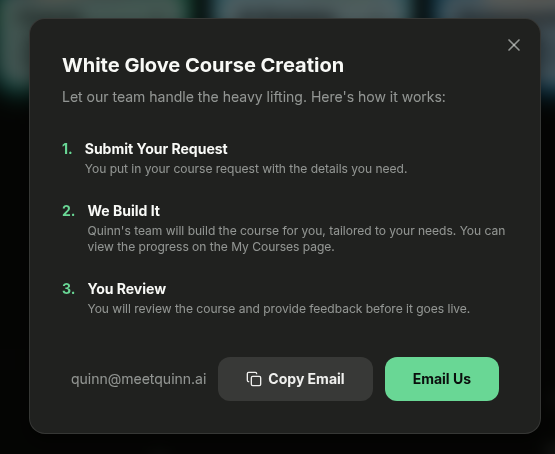
A modal opens showing the White Glove Course Creation process in three steps: Submit Your Request, We Build It, and You Review. Click Email Us to open your email client with the request pre-addressed, or click Copy Email to copy quinn@meetquinn.ai to your clipboard.
💡 Tip: Include details like the topic, target audience, and any reference materials in your email so the Quinn team can get started right away.
💡 Tips
After you submit your request, the Quinn team will build the course and you can track progress on the My Courses page.
You'll get to review the finished course and provide feedback before it goes live — nothing is published without your approval.