Your Learner Profile
📌 Overview
Your learner profile is your personal home for progress: how much you've completed, how you're scoring, how much time you've spent learning, and every certificate you've earned. It's your own view of your training record — no admin access needed.
Step 1: Open Your Profile
In the learner experience, open Profile from the navigation. You'll see your name, email, and a stat strip with Completed, Average score, Learning time, and Last activity.
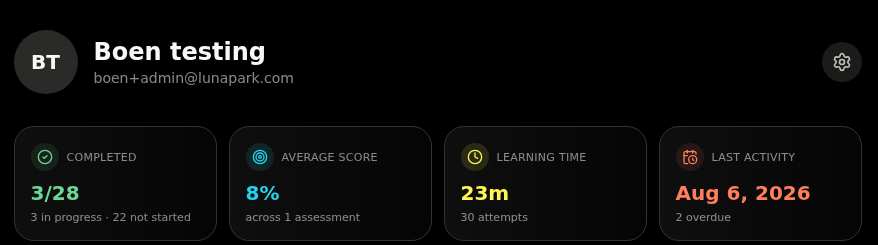
💡 Tip: Click the gear icon next to your name to jump straight to My Account, where you can update your details and your theme.
Step 2: Check Your Programs
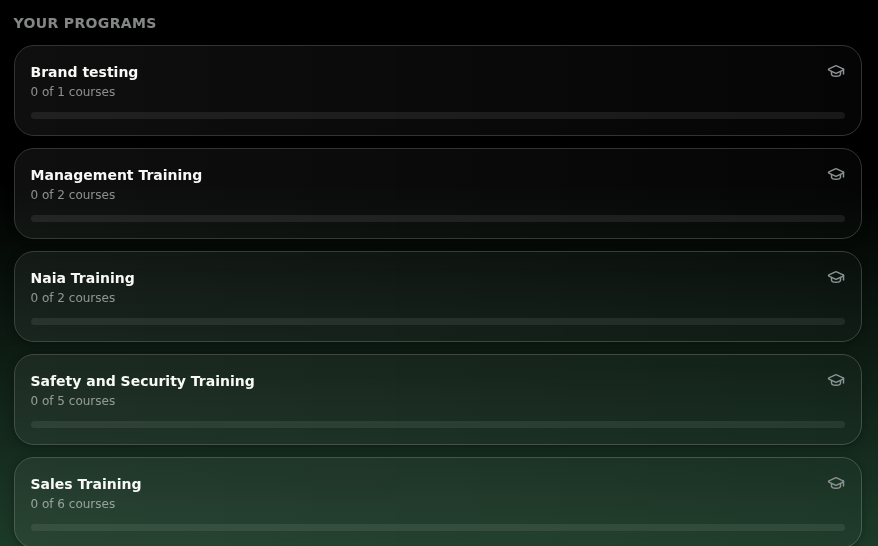
The Your programs section lists every program you're enrolled in with a progress bar showing how many of its courses you've finished.
Step 3: Review Course by Course
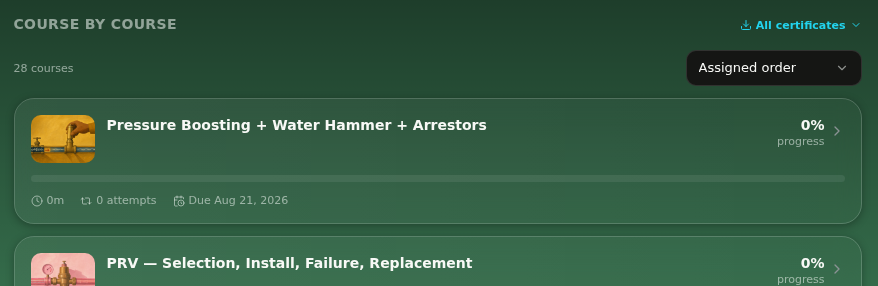
Scroll to Course by course for the full list of your assigned courses, each with progress, time spent, attempts, and due date.
Step 4: Sort the List
Use the sort dropdown — set to Assigned order by default — to reorder your courses by Highest score, Lowest score, Most complete, Least complete, or Recently active.
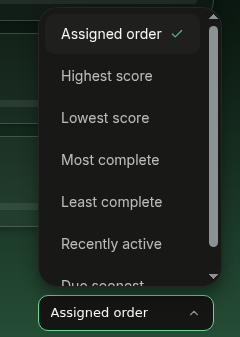
💡 Tip: Least complete is the fastest way to spot what still needs your attention.
Step 5: Grab Your Certificates
Click All certificates to download every certificate you've earned, or turn them into a shareable image. Full details are in Certificates.
